
Web CMP
Consent Studio Web CMP, the sovereign European cookie banner, asks each visitor for consent in the languages you activate and under the rules you set for their region. Their answer is stored with the wording they were shown at the time, so the log says what was agreed to rather than only that somebody agreed.
- 31 prepared languages
- Live the same afternoon
- Twelve months of history
From €10 a month. No credit card, no per-visitor billing.
Where consent banners go wrong
Every one of these looks fine on the page it is standing on. That is what makes them worth listing: none of them announces itself, and most are found by somebody else first.
- Not having them on your site at all
- Refusing takes more clicks than accepting
- Consent assumed where it has to be asked
- Assumed refused where an opt-out would do
- An answer no other tool on the page reads
- Not operable by keyboard or screen reader
- Records held where a US order can reach them
- Priced per visitor, so a good month costs more
Consent management, the Consent Studio way
One install covers 31 languages, and a region rule gives each visitor the starting state their own law calls for. What the banner asks about is what the scanner actually found, and what it stores is the wording they were shown.
Asked properly, and refused just as easily
The banner copy and category names are prepared in 31 languages, and a region rule gives each visitor the starting state their own law calls for: opt in across Europe, the opt-out in California, from one install. Refusing is as easy as accepting, and that is how the banner ships.
- Equal weight
- GDPR
- CCPA/CPRA
Asked about what is actually on your site
The scanner reads what is really running and names it, and you confirm each category and tracking technology before anything goes live. A new pixel is something you have seen and placed rather than something that quietly inherited whichever default was already there.
- Scanned, not guessed
- You confirm each one
Stored with the wording they were shown
The answer is kept alongside the banner copy that was in force that day, which is what makes the log an audit trail rather than a tally. Google and Microsoft get the answer too, both built in on every plan, so it reaches the tags without one you have to maintain.
- Consent Mode v2
- Microsoft UET
- Twelve months





European-owned, not only European-hosted
Keeping consent records in Frankfurt does not make them European. A provider owned in the United States is still a US company under a US order, because the order follows the company rather than the disk. Consent Studio is built and owned in Tilburg by Vallonic B.V. European-owned infrastructure. Consent data is stored and processed in the EU, with no entity in the ownership chain for a foreign disclosure regime to reach.
How Web CMP stands out
See how Web CMP compares with a traditional consent banner, row by row.
| Feature | Web CMP | Traditional CMP banners |
|---|---|---|
| Where data flows | European-owned infrastructure. Consent data stored and processed in the EU. | Stored in Europe, still reachable from elsewhere. |
| The rest of your stack | Monitoring checks your pages against it, weekly. | A banner on its own, checked by nobody. |
| What it costs your page | Only the tracker types you switch on, loaded asynchronously. | One fixed script, and the page waits for it. |
| Getting it live | Plug-and-play implementation, with the integrations built in. | An implementation project, then wiring per tool. |
| When you do need code | A JavaScript API, events and HTML attributes. | You get what the settings screen exposes. |
How Consent Studio acts worldwide
A visitor does not just need the banner in a language they read. They need one that behaves the way their own law expects, and both come out of the same set of rules.
31 languages, already written
Our cookie banner is prepared in 31 languages, so visitors to your website can read it in their own language rather than yours. You can activate five languages on Essential and as many as you like on our other plans.
- Five on Essential
- Unlimited above it
One banner, rules per region
A rule is scoped to the countries you choose, and it can override four things independently: how the banner behaves, what it says, how it looks, and when it asks again. That is also how one install answers opposite laws, because the GDPR wants marketing left off until somebody agrees and California runs the other way as an opt-out.
- Behaviour
- Copy
- Styling
- Re-prompting
Global Privacy Control, honoured
California treats a browser opt-out signal as a request you have to act on. Consent Studio reads GPC and gives you three answers per region: ignore it, arrive with the opt-out toggles already set, or reject and never show the banner at all.
- Ignore
- Pre-select opt-out
- Auto-reject
Accessible for everyone
A consent banner is a gate in front of your whole site. Anyone who cannot operate it cannot use you.
Keyboard and screen reader, every plan
The banner takes focus when it opens, keeps focus inside itself while it is open, and announces what changed as categories are switched. None of that is an upgrade.
Six more controls where you need them
Teams working to their own accessibility standard can set which element takes focus, what the Escape key does, which heading elements the banner and the cookie list use, what the close button means, and whether announcements interrupt.
Locked settings fall back, never off
Without that upgrade the six controls are disabled rather than hidden, and the banner returns defaults that are WCAG compliant and privacy friendly. You are never left with an inaccessible banner because of a plan.
Web CMP in action
Asking properly is only the half a visitor sees. What the banner is allowed to declare, and what it writes down once they answer, are the halves you are held to.

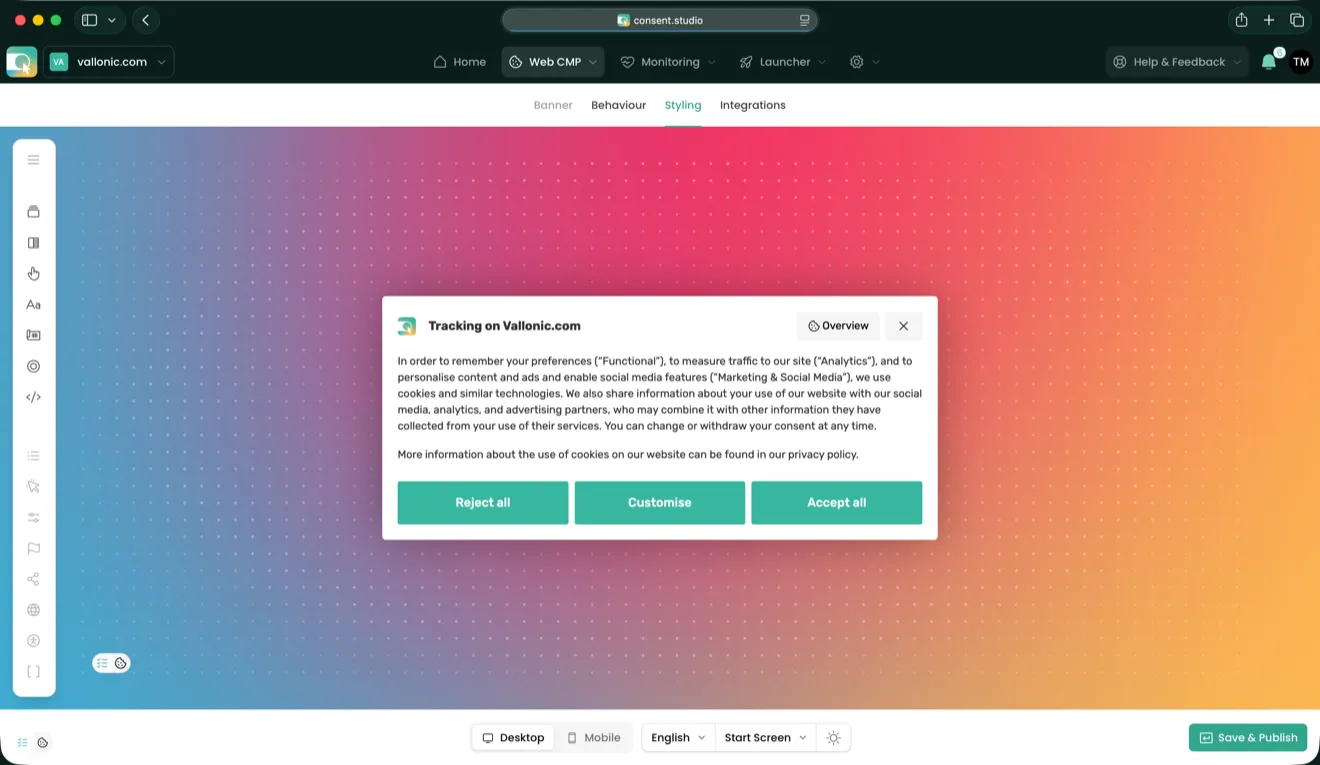
The banner a visitor sees
Plain language about what each category is for, the categories themselves as switches a visitor can set, and a link straight to your privacy policy.
The reject and accept buttons sit side by side at the same weight, so turning tracking down takes one click, the same as accepting it.
Any tracking technology is covered
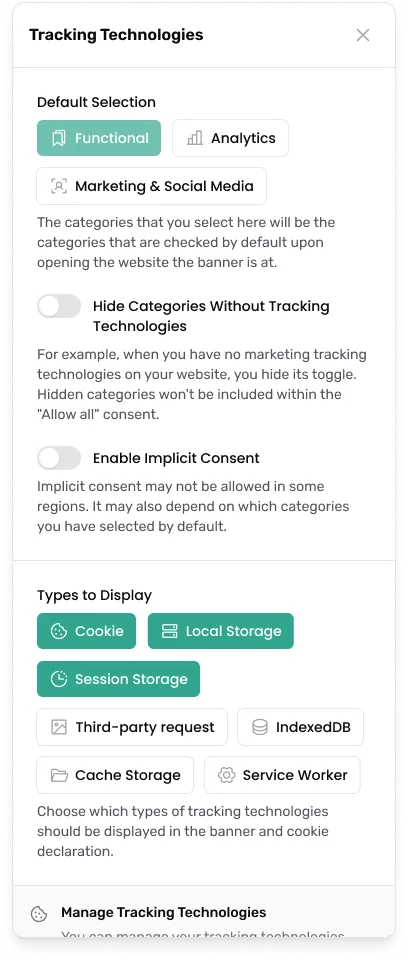
The banner covers the technologies that actually carry tracking: cookies, local and session storage, third-party requests, IndexedDB, cache storage and service workers. You choose which types it declares.
You also set which categories are ticked when the banner opens, and whether a category with nothing behind it is shown at all.

The record it leaves
Every answer is stored as a readable record: the time, the country, the page, the banner version that was shown, and the categories the visitor chose.
Open any entry for the full record or copy it out as JSON. Twelve months of history is kept.

One answer controls every tool on your site
It installs on the platform you already run, and the answer it collects reaches the tools that read it, Consent Mode and Tag Manager included, rather than stopping at the banner.
Discover All Integrations






Four steps from signing up to a live banner
There is no implementation project here and nothing to build. The dashboard writes the install for your own domain and you place it once.
Create an account
No credit card, seven days free. Add the domain you want the banner to run on.
Place it on your site
The dashboard generates the install carrying your own domain and settings. Paste it once, or take the plugin, embed or Tag Manager route your platform already has.
Say what it has to cover
Run the scanner, confirm the categories and the tracking technologies it found, and set the regions you sell into.
Publish
The banner goes live in every language you activated, and the first consent records start landing in the log straight away.
In the words of the teams running it

Van Vulpen: the groundwork for solid online privacy compliance
As a large contractor, it is incredibly important for us to meet the expectations of our clients. Handling the privacy of all our stakeholders with care is part of that. The consent banner on our website plays a crucial role as the first impression of this.
Nathan den Breejen, Van Vulpen 

AdRock Marketing GmbH: seamless cookie consent setup
In our opinion, Consent Studio is the best cookie consent solution on the market. For agencies like us it's perfect, especially because of the fair pricing and easy setup. We've had significantly better experiences with Consent Studio than with other well-known alternatives.
Dennis Berse, AdRock Marketing 

Movisie: Dutch social knowledge institute chooses Consent Studio
Consent Studio is a very affordable alternative to the large, well-known providers. The contact is very pleasant. Requested adjustments are done quickly, and the overall implementation was very straightforward.
Wendy H., Movisie 
Fiterman Pharma: compliance across 15+ websites
We've implemented Consent Studio across over 15 websites, and it has made managing cookie consent so much easier. The multilingual support is a huge plus since we operate in different regions. The pricing is straightforward and cost-effective.
Valentin Acatrinei, Fiterman Pharma 
SB Supply: compliance across multiple storefronts
Our online shops operate in many European countries and it is important to us that we both comply to local regulations, but also that we offer the banner in all visitors' native languages.
Sander Berendsen, SB Supply 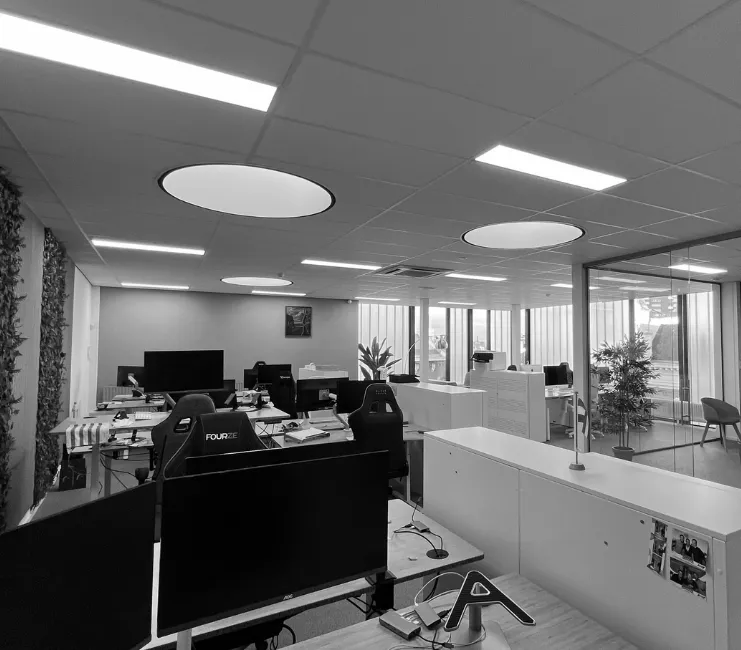
Trusted by organisations that take privacy seriously















Accredited, not self-declared
 Google Certified CMP PartnerSilver tier from 2024 and Gold since 2026, for integration with Consent Mode and Google Tag Manager.
 Green Web FoundationIndependent verification that serve.consent.studio, the domain your banner is served from, runs on green hosting. It covers the serving domain, not every system behind it.
 DDMA memberThe Dutch industry association for data and marketing. Members sign up to its codes of conduct on responsible data use.

A consent banner is the first thing a visitor meets and the last thing they want to think about. Ours is built so the fast answer and the honest answer are the same one.

Meet our team in the wild
Taken at the Digital Analytics Summit 2026 in Amsterdam, where we were a gold sponsor.
Consent shapes what your marketing can measure, and that is easier to talk through face to face. Ask whether we can visit your company to explain how consent management and marketing fit together.
One price, and all three products in it
Every plan carries Web CMP, Launcher and Monitoring. The tier you pick changes the depth, not the toolset, and nothing is metered by pageview.
Essential
€10/month
For a single site that has to be compliant, and stay that way.
- Unlimited pages and displays
- 200,000 consent actions a month
- The full stack, not a starter tier
Professional
€36/month
For growing teams that run on data, and the agencies serving them.
Try Professional for FreeEnterprise
From €250/month
For a volume, or an obligation, a standard plan cannot answer.
Explore EnterpriseAgencies & Resellers
Buy at a partner rate and resell client sites at your own price.
Discover Partner ProgrammePublic Sector
Government, healthcare and education run on Enterprise.
See Enterprise
Frequently asked questions about Web CMP
Do I need a separate banner for the United States?
No. The GDPR and the CCPA ask for opposite starting states, and a region rule gives each visitor the right one. One install, one consent log, two regimes answered.
What exactly is stored when somebody consents?
The answer itself, and a snapshot of what they were shown: the banner copy in every language you have activated, the categories and their defaults, the tracking technologies listed, and the cutoff for older answers. Styling is excluded on purpose, because a colour is not something a visitor agreed to.
Where is my data actually stored?
In the EU by default, in Amsterdam, on infrastructure owned and run by Scaleway, a French company. Enterprise can pin it to a specific country instead. Residency is a deployment decision rather than a setting, so it is answered in the contract and reflected in where the infrastructure actually is.
Does the banner work without JavaScript frameworks?
Yes. It is a single script served from our own infrastructure, and on Professional and above it can be served first party from your own domain instead.
Is there a WordPress plugin?
Yes, and it is the recommended route there. Webflow and Wix take an embed instead, and on every other platform the banner installs as a snippet or as a tag in Tag Manager. Each platform has a guide of its own in the help centre.
Is the banner accessible on the entry plan?
Yes. Focus handling, the focus loop and screen reader announcements are on every plan. The upgrade adds six further controls for teams working to their own standard, and without it the banner falls back to WCAG compliant defaults rather than switching anything off.
How long is consent history kept?
Twelve months on Essential and Professional. Enterprise sets its own retention.
Can I ask visitors again after a while?
Yes, on Professional and above. Re-prompting asks again on a schedule you choose, per category, and each new answer is recorded against whatever the banner said at that point rather than against the original.
Get Started with the Full Consent Stack
Everything you need in one bundle. Consent Studio processes and stores consent data from EU visitors on infrastructure of European companies inside the EU (Scaleway, France; Bunny, Slovenia). Which tags send data afterwards, and where to, is up to you in Launcher.
Read the documentation
Our help center walks through every integration, plugin and template step by step, with screenshots. It is written and kept current by the people who build Consent Studio.